Text & Vector
Text
- Pick the Text tool and click on the canvas to create a text layer.
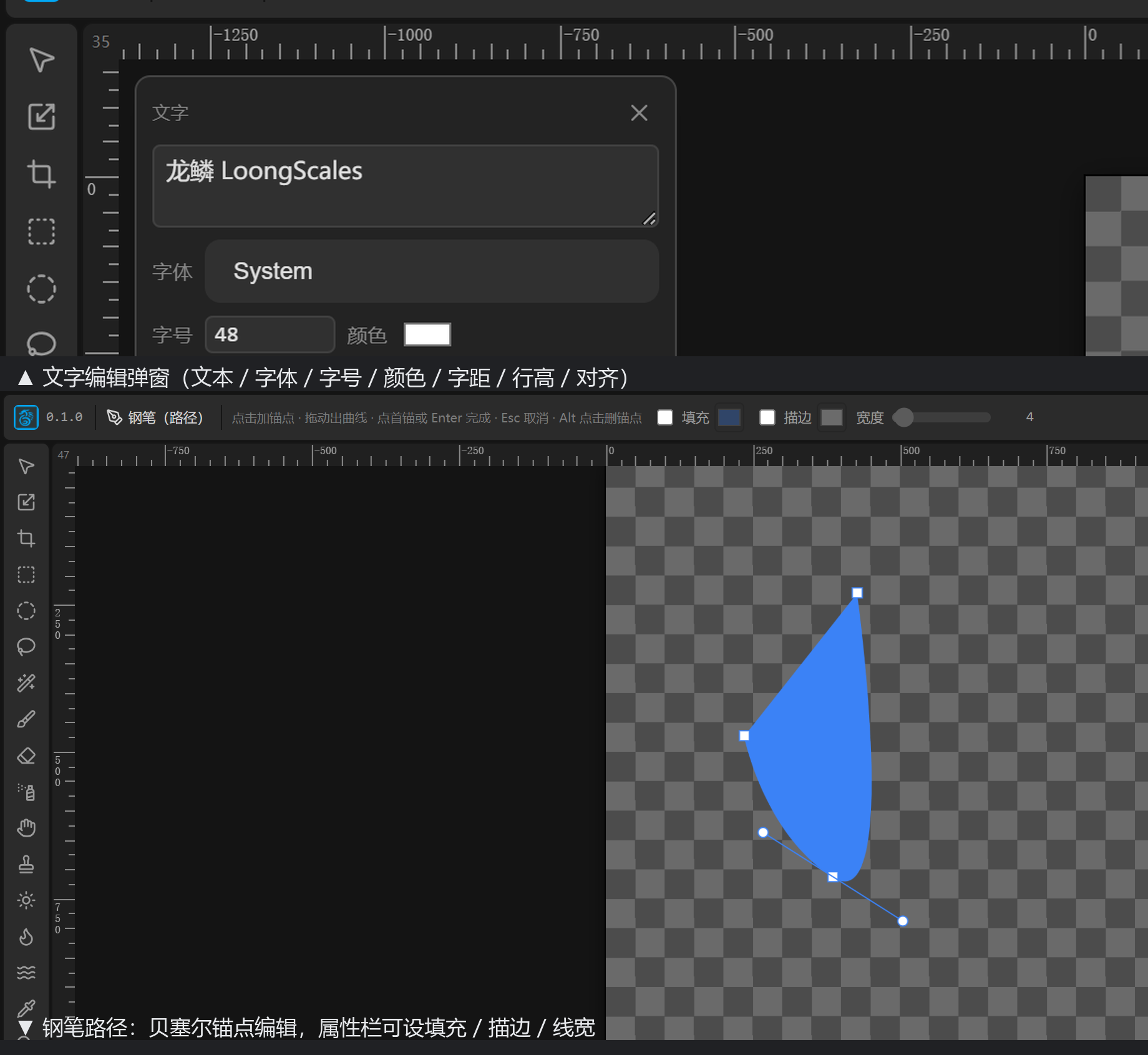
- Double-click the text or right-click to edit; the dialog sets: content, font, size (4–2048), color, letter spacing (−50–200), line height (0.5–4), alignment (left/center/right).
- Text layers can be edited anytime; you can also "text to path" (becomes an editable vector shape) or "text to raster" (rasterize to pixels).
- Note: system fonts are limited by the browser — system fonts cannot be converted to paths; built-in / URL fonts can.
Vector & path
- The Shape tool draws rectangles / ellipses / lines / polygons / stars / arcs / spirals directly.
- The Pen tool draws arbitrary Bézier paths with anchors; a path can be "to selection" or "stroke path (with brush)".
- Vector layers stay sharp when scaled — ideal for logos, UI, icons.